Doi Camera, NY

Digitize Slide in Manhattan, NYC.
Slide Scan, Slide to CD

What is "Digitize Slide" or "Scan Slide"? What kind of options I have for Slide Archiving ?.

How much is it to have my slides digitized? How long does it take for Slide to digital file conversion?

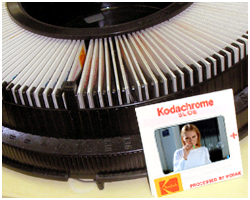
The Slides we can digitize Equipment used for scanning Slides


Slide Scan, Digitize Slide Q & A Place an order with us.

Home page About us Contact us Passport Photos


Video Transfer Services, New York Doi Camera is the New York's full service digital conversion lab.
Video Transfer, NYC movie film to DVD, NY audio casette to CD, NY
Slide Scan, NYC Film Scan, NYC
All film and tape based images are being degraded day by day. Time is clicking - Digitize is the only way to preserve them.


Doi Camera Doi Camera Locations & Hours

Holidays and Special Weekend Closings will be posted here.

Store Maps and Subway/Bus Access are here.

285 Madison Ave Store
250 Park Ave Store

285 Madison Ave.
New York, NY 10017
(212) 661-0876

Between 40 & 41st street on East side of Madison Ave.
Storefront on ground floor.


Mon - Fri: 8:00 am to 6:00 pm
Sat: 11:00 am to 2:30 pm
Sun: Closed

Barrier-Free
Wheelchair Accessible store
.
250 Park Ave.
New York, NY 10177

(212) 573-9423

On 46th street between Madison & Park Ave.
(= corner of 46th street and Vanderbilt Ave.)

Mon - Fri: 8:30 am to 5:30 pm
Sat. Sun Closed


SLIDE SCAN in Manhattan, New York.

All Slide Scans are processed in house, here in NY.
No slides will be sent out.


Recent testimonial -

I was just looking at the slide scans, and I had to tell you how delighted I am with them. You did a beautiful job! Nobody would believe that these pictures were taken more than fifty years ago. The picture quality makes them look like they were taken last week. Thank you very much.

Richard, MA

What is "Slide Scan"?
What does "Digitize Slide" mean?

"Slide Scanning" is a method that turns a slide into a digital file.
The whole process of turning slide to digital file is called "Digitizing Slides".

There are many types of "Digital files"(such as Jpeg, Tiff) but all of them can be viewed and editable on PC or Mac.
The typical and most popular digital graphic file format is called Jpeg file.
This Jpeg (or often spelled Jpg) file can be played on a DVD player that you can watch on TV or
E-mail, Web sharing such as Facebook, Twitters or Youtube.

Digitizing Slides is Good for:

Archive photos and preserve for generations to come.
Emergency preparedness. One disk of your whole family photos.
Divorce, separation or children's marriage.
Great gift idea for your family members.
Enjoy watching old photos on a TV, otherwise you will never see them again.
Show as a side show at a Wedding party or other family functions.
E-mail old photos, share them on a website.


FREE Slide Dust and Scratch removal service!
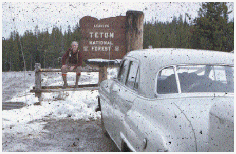
We will use Kodak's Digital ICE system for all slides for removing dusts and scratches digitally without touching your slides.
It's absolutely FREE - no additional charge to you.

DIGITAL ICE technology automatically removes surface defects, such as dust and scratches, from a scanned image.
DIGITAL ICE Technology differentiates itself from software-only solutions because it does not soften, blur or otherwise alter any underlying details or composition of the original image. Instead, the patented DIGITAL ICE Technology works from within the scanner, during the scanning process, to provide users with a clear, authentic base image that improves the original image.

Please note:
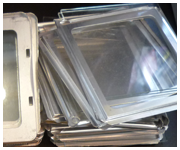
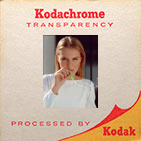
1. DIGITAL ICE does not work on Kodacrom Slides, B & W Slides or Glass-mount slides.
2. It is NOT the perfect solution - but Digital Ice is one the most powerful dust removal solutions.
3. Digital Ice is an absolutely safe solution - it does not touch your slides at all.

* Digital ICE is a trademark of Eastman Kodak.


Slides we Scan
35mm slide
126 size slide
127 size slide


We don't handle following slides

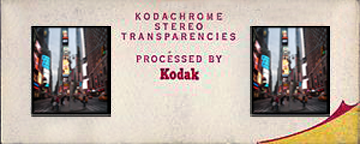
Stereo slides

120 slides

110 slides

110 slide on 35mm

super 127 slides

Slide Scanning services come with many choices.

There are many options in Slide Scanning services and the price will be different.
The first step is to find out the best Slide Scanning option for your situation.

What is the best Slide Scanning solution for me?

In a nutshell,
Basic plan: Good for viewing on a PC/Mac Monitor, HD TV, Web sharing, E-mail and prints up to 5x7
Hi Res option: Good for Hi quality archiving, graphic editing and prints up to 11 x 14.
Tiff format option: Good for best quality archiving and heavy editing. Not suitable for E-mail or Web sharing


What's your purpose of digitizing slides?

Enjoy slide pictures on a PC monitor or a big HD TV monitor - Basic plan

Scan slides for documents such as Power Point, Word or PDF file - Basic plan.

Digitize slides for Web sharing (such as Face Book) or E-mail- Basic plan.

Slides to print up to 5 x 7 size with no cropping - Basic plan.

Slides to print 8 x 10, 8 x 12 up to 11 x 14 size, or Photo Album- Hi Res in Jpeg option.

Archive best possible quality in reasonable cost - Hi Res in TIFF format option.


Slide Scan Services Specs and Prices

JPG File
Tiff File
Scan Resolution
Basic Plan
Higher Res.
Tiff
High Res in Tiff
1200 dpi
2400 dpi
1200 dpi
2400 dpi

35mm Slide

1200 x 1800 pix

2400 x 3600 pix

1200 x 1800 pix

2400 x 3600 pix
Photo
= 4 x 6 at 300 dpi
= 4 x 6 at 600 dpi
= 4 x 6 at 300 dpi
= 4 x 6 at 600 dpi
= 8 x 12 at 300 dpi
= 8 x 12 at 300 dpi
Scanned File Size
6.5 Mb
25 Mb
6.5 Mb
25 Mb
Saved File Size
600 kb
2 Mb
6.5 Mb
25 Mb
How many files
fit on a CD
more than 1000
about 300
about 100
about 30
How many files
fit on a DVD
more than 6000
about 2000
abut 650
about 200
Q'TY
P R I C E
1 - 24
(Min charge)
$25.00
(Minimum charge)
$35.00
(Minimum charge)
$35.00
(Minimum charge)
$35.00
(Minimum charge)
25 - 99
$0.99 each
$1.50 each
$1.50 each
$2.25 each
100 - 249
$0.89
$1.35
$1.35
$1.95
250 - 499
$0.75
$1.12
$1.12
$1.68
500 - 999
$0.59
$0.89
$0.89
$1.35
1000 & over
$0.49
$0.75
$0.75
$1.25

Turnaround time

Quantity

Regular Turnaround time
1- 24
next business day
25 - 100
2 - 3 business days
100 - 500
a week or less
500 and over
please ask us.

Since all our slide scan is processed at our New York studio, the schedule can be flexible.
Sometimes our slide scanners will be busier than normal, other day we might have extra capacity.
Please contact us if you need to have your slide scan done by certain date.
We will try to match your schedule best we can.

FREE Dust and Scratch removal service included for Slide Scanning!
(Digital Ice does not work on some slides or not a prefect solution for all slides. see note here)


Basic Slide Scan Service:
Your 35mm slides will be scanned, digitized and saved on a CD or DVD.

A 35mm color slide will be scanned at 1200 dpi (ppi) resolution to digitize as an around 1200 x 1800 pixels image.
After all slides are scanned, these files will be saved in jpg format and stored on a CD or DVD disc.

With this basic slide scan option, you can:
1. Enjoy quality slides show on a big HD TV screen or PC/Mac monitors.
2. Good choice for Web sharing (such as Face Book), E-mail or Online Print order.
3. Good for Power Point Presentation, digital Projector and other presentation.

You also can Edit your slides with graphic Edit Programs:

There are many Free Graphic Edit Software available.
Picasa from Google is very popular for both Windows and Mac people.
Other Free Graphic Edit Software for Windows users.
Mac people can use iPhoto.

You also can do many other things like:
Rename the files, sort them in orders, organize them in groups, E-mail or upload to Website
(such as Web Photo Albums, Facebook or Youtube).


Optional Tiff and/or Hi Resolution Slide Scan Services:

Hi Resolution Slide Scan Option
A 35mm color slide will be scanned at 2400 dpi (ppi) resolution to digitize as an around 2400 x 3600 pixels image.
After all slides are scanned, these files will be stored on a CD or DVD disc.

With this Hi Resolution Slide Scan Option, you will get:
1. Each slides will be scanned at 4 times bigger than Basic Scanning plan.
2. You will get more detailed information on each slide.
3. Good for better quality archiving and graphic editing.

Tiff File Option

Unlike Jpeg format which compresses the original files to compact size, Tiff is a full quality, lossless format.
No matter how many times you open and save in Tiff, the image quality is exactly the same as original, but:
1. Tiff is a huge file format - almost 10 to 20 times bigger than Jpeg file.
2. Too big for E-mail or Web sharing, therefor, many Websites do not accept Tiff file uploading.


Please note:
No refund will be accepted because the CD/DVD we create can be easily copied at home.
We will redo works when quality improvements is possible.

We scan 35mm slides only.
Some of the slides we Don't handle: 110 slide, Stereo slide or 120 (2 & 1/4 ) slide.

Your original slides will be returned, but NOT in the same order as we received.

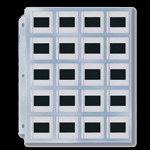
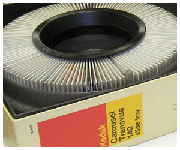
We will return all original slides. However, slides submitted to us in carousels or in slide pages will NOT be put back in the order as received.
Slides in boxes will be returned in the same boxes but not in the same original order in each box.

We are unable to scan in particular orders.
Sorry but we are unable to scan your slides in particular orders, such as numerical or by date

There are many Free Graphic Edit Software available.
Picasa from Google is very popular.
Other Free Graphic Edit Software for Windows users.
Mac people can use iPhoto from Apple.

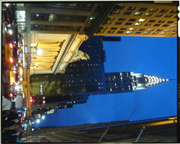
We are not responsible for each image's direction.

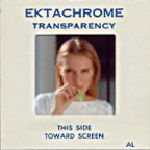
See the examples below - we can't tell which one is "right" for you.


You can rotate the pictures as you like with graphic application on your PC/Mac.

If you are not sure what application to use for organizing your digital files, there are many Free Graphic Edit Software available.
Picasa from Google is very popular, so that will be a good start.
Other Free Graphic Edit Software for Windows users.
Mac people can use iPhoto from Apple.

Slide Scan sample images:

see How good is scanning 35mm slide at higher resolution?

35mm Slide Scan Samples


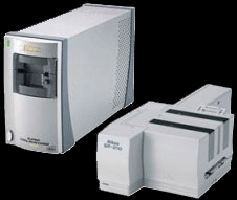
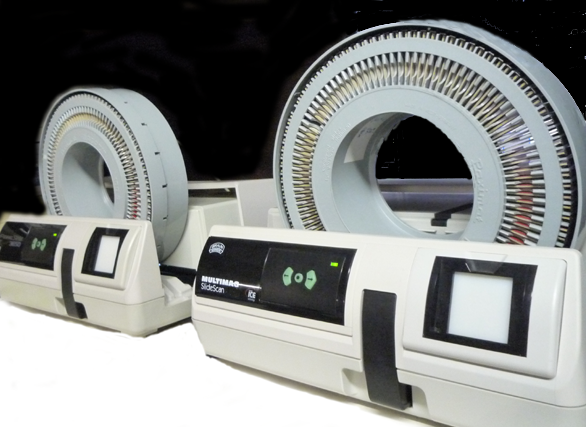
Equipment we use for your 35mm slide scan in our NYC lab.

Nikon 5000
Auto slide feeding system
We use multiple feeders
We also use Processional Grade Slide Scanners.


Slide Scan, NYC, NY Q&A

Our policy on your privacy.
How long does it take?
Are you scanning my slides at your lab in New York?
Can I Edit slide image after the scan?
Will my original slides be returned?
Can you scan slides in particular order?
Can I combine Slides and Photos to get larger quantity discount?
How big digital files can I get from Slide Scanning?
Can you scan at higher resolutions?
What kind of digital file am I getting ?
What is the Basic Slide Scan plan?
Powerpoint - what resolution do I need?
Projector, Presentation - what resolution do I need?
Can I play the CD or DVD disc on my DVD player after the scan?
Can you use my music for my DVD movie?
Can you put a title on the Slide Scan DVD movie?
What size of slides can you scan?
Can you scan slides in carousals, boxes or on pages?
Does slide Scan service come with money back guarantee?


I am concerned with privacy of my slides.
 

We respect your privacy and confidentiality sincerity and deeply.
We are in photo business over 25 years, protecting customer's privacy is a part of our daily workflow.
To show our sincerity in writing, we have our Confidentiality/Non-Disclosure Agreement Form ready for you.
You can download this form, print your (company) name, sign and dated, then bring the form with your work.
Let us remind you again that none of your slides will be out of our lab, they stay here.


Are you scanning all my slides in house?
 

Yes.
All scanning job is done in house in New York. No slides will be sent out.
That means there is no chance of lost on transit and your privacy is well kept.


How can I Edit slide image?
 

There are many Free Graphic Edit Software available.
Picasa from Google is very popular, so that will be a good start.
Other Free Graphic Edit Software for Windows users.
Mac people can use iPhoto from Apple.


Are my original slides returned after the scan?
 

Absolutely Yes.

However, slides given us in carousels or in slide pages will NOT be put back into the original carousels or slide pages.
Instead, they will be put in clear plastic bags by groups.
Slides in a box will be returned in the same box but not in the same order.

If you need to have these slides returned in its original order, there will be a charge of:
-1. $19.95 per slide carousel or box
-2. $5.95 per slide page
-3. all other box or container will be quoted on a case-by-case basis.


Can you scan my slides in particular order?
 

No.
Our job is to scan and digitize your slides into jpg (or Tiff) files.

How to organize the files, such as sequence,grouping, numbering, naming, or rotating files is not a part of slide scanning job.
Since they are all digitized already, it can be done fairly easy by one of these Free Graphic Editing Software or Free File organizer.


Can I combine 35mm Slides with Photos to get bigger quantity discount?
 

No.
Slides and photos are scanned separately with different machines therefor each will be counted separately.
Slides and photos can not be combined to get larger quantity discount.


How big digital files can I get from Slide Scan?
 

With our Basic Scan Plan, you will get a 35mm slides at around 1200 x 1800 dpi;
This is good for:
1) Enjoy beautiful quality slides even on 52 inch HD TV screen or
2) Make a good quality print up to 5x7 size.
3) Good for regular Power Point Presentation.

Please see option, for bigger file (= higher resolution) scan.


Higher resolutions scan as optional services.
 
   
1. For viewing slide images on a PC monitor or TV (even on a 52 inches HD TV), the 12200 x 1920 pixels ( included in our basic plan ) is sufficient.
2.

In general, a bigger file from Slide scan is NOT as good as the same bigger pixel file from Photo scan.

In other words, you can't see as much quality improvement in slide scanning as photo scanning by increasing scanning resolution.
Why?
Because the original image of a slide is far smaller than a print, enlarging it will not make as good quality image as from a photo.
Because the original image size of 35mm slide is far small than 4x6 photo, huge enlargement from the small 35mm slide will NOT increase image quality significantly.
Even worse, you might see large film grains all over the image that may end up ruin the total image quality.


35mm slide is a very small image compared to a 4x6 photo.
35mm Slide
vs 4x6 print (35mm slide is much smaller than you think)


35mm Slide vx 8x12 print (notice how small 35mm slide is)


Enlarging a portion from a slide image


might end up ruining the entire image quality


3. It's also important to note that it's not merely the numbers of "dot"s that define image quality, but quality of each "dot" really matters.

There are companies out there advertising that:
-1. they use camera manufacture's desk top slide scanners.
-2. they offer bigger file size with cheaper price.

If you compare their compact desk top slide scanner vs our Professional industrial processor,
the quality difference is clear.

How good and clear information can each "dot" capture from your slide is the key for quality
slide scanning processing.
It is not all about 1200x1800 or 2250 x3250 kind of numbers that others advertise.

So don't be fooled about pixel numbers that others are offering.
If each "dot" is bad, no matter how many dots is a file, it's still a bad file.


What format digital file am I getting on a disk?
 

Jpeg files.

However we can save in uncompressed Tiff files with 50 % additional charge.

In real world, with these rather small files (6 to 24mb each),
it doesn't make much of quality difference between jpeg and Tiff.


What am I getting with the basic Slide Scan plan?
 

Please see Basic Scanning Plan


What resolution do I need for Powerpoint presentation?
 

In short, our basic scan plan of 1200 x 1800 resolution is good enough for almost any kind of Powepoint Presentations.

The resolution of 768 x 1024 is more than enough, because that's the full size of your Laptop computers monitor.
(Many Laptop computers are much lower settings than this anyway)
If the slide or photo image occupies only half the width and half the height of the slide, 384 x 512 pixels is enough.
When a file is too big than these, first it doesn't make the image look any better, and second, it makes Powerpoint show slower.

Our Basic plan offers 1200 x 1800 on 35mm slide and 4x6 photos. This is good enough for Powerpoint presentation.


What resolution do I need for Projector?
 

In short, our basic scan plan of 1200 x 1800 resolution is good enough for almost any kind of projectors.

The screen would be very large but it doesn't matter how large or small the screen is; it's the resolution of the projector that counts. As long as we feed a good file to the projector, the projector will take care of the rest - that's his job.
Projectors will put out over a larger screen, but the number of pixels stays the same.

So the issue is what is the right file size for a projector.
Projectors come with different resolutions:
SVGA (800x600) - simple projector
XGA (1024x768) - popular type
WXGA (1280x800) - getting popular
SXGA+ (1400x1050) - new in the market
UXGA (1600x1200) - high end product

Our basic plan offers 1200 x 1800 resolutions on 35mm slides and 4x6 photo scans, which is good for
even the high-end projectors.


Can I play the Slide Scan CD/DVD you created on my DVD player ?
 

Unless you order a movie DVD as an option, the answer is basically No.
Because the files on the CD/DVD are "still photo" images of your slides.
They are not encoded (programed) to play as a movie on your DVD player.

However, there are two ways to make the data file "move" (play).
1. You can order a Movie DVD option at $29.95 extra.
or
-2. There are some DVD players that "Play" jpg files as if they are movie file.
Please check your DVD player's manual for more details.


Can you use my music as background music for my DVD movie?
 

Yes.
With an additional $15.00, we can put your music on the movie DVD.
Please provide us with a music CD or Mp3 files.


Can you put a title on the Slide Scan DVD movie?
 

Yes we can with no additional charge.
Please make the title simple and short, like;
"Uncle John's Slides"


What size of slides can you scan?
 

At this time we are offering 35mm slides scanning services.

We are still trying to find right price/quality point on other type of slides (transparencies).


Can you scan slides in carousels or on a page?
 

please see "can you scan my slides in a particular order?"


Does your Slide Scan service come with money back guarantee?
 

No.
Once the CD/DVD is out from our store, it can be easily copied.
As a company policy, we don't accept money back request on any CD/DVD orders.
No exceptions.


How long does it take?
 

Slide scanning services normally take a couple of days to a week.

Since all scanning job is done in our lab, our schedule can be flexible.
Please let us know if you are in a hurry or dead-on time limit.
We try our best to meet your request with or without extra fee.

LIMIT OF LIABILITY Submitting film, print, slide, digital file or tape to this firm for processing, an order constitutes an AGREEMENT by you that any damages or loss by our company, subsidiary, or agent, even though due to negligence or other fault of our company, subsidiary or agent, will only entitle you to credit for a like amount of future processing by us. Except for such consideration, the acceptance is without other warranty or liability, and recovery for any incidental or consequential damages is excluded.
Our firm is not responsible for any material left over 14 business days. All the prices quoted are subject change without notice.


Doi Inc. dba Doi Camera.
Since 1971 in Midtown Manhattan, New York City, NY 1007
All rights reserved